
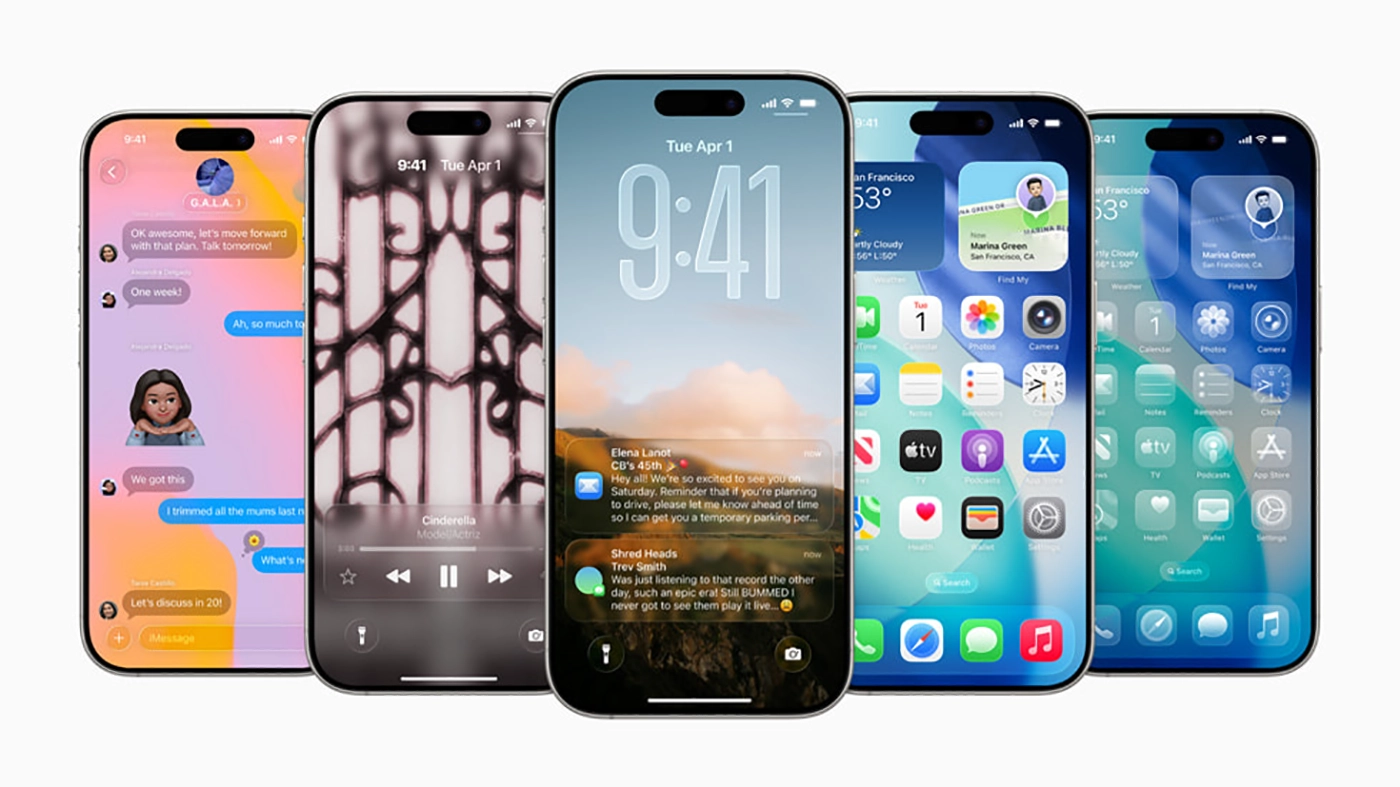

Apple has released iOS 26.2, which brings enhancements to Apple Music, Podcasts, and Games, as well as other features, bug fixes, and critical security updates for your iPhone.

iOS 26.2 New Features
Apple Music
Favourite Songs playlist appears in Top Picks on the home tab.
Offline lyrics for downloaded songs so you can view them without an internet connection.
Podcasts
iOS 26.2 also includes the Apple Podcasts update announced last month that automatically generates chapters for podcasts in English (when the creator doesn’t supply chapters themselves).
Apple Podcasts also now has timed links, which appear at specified times in podcast episodes, such as when a host mentions another podcast.
AirDrop
iOS 26.2 makes it easier to AirDrop with people who aren’t in your contacts list. Now, rather than having to either add them to your contacts or enable the ‘Everyone for 10 Minutes’ option, you can generate a code and share it with them.
Once done, you’ll be able to AirDrop each other for 30 days, while keeping AirDrop on the ‘Contacts Only’ setting.
The new option can be found by navigating to Settings > General > AirDrop and tapping Manage Known AirDrop Contacts.
Reminders
With iOS 26.2, reminders, can now be accompanied by an alarm.
To do this, toggle the ‘Urgent’ option when setting the reminder. When the reminder time arrives, your phone’s alarm will sound, and you’ll see options to snooze or stop it.
Apple News
Apple News has been tweaked with shortcuts at the top of the screen, which lead to various sections of the app. These sections include things like ‘Sports’, ‘Puzzles’, ‘Politics’, and ‘Food’.
There’s also a dedicated Search button, as well as a new Following tab.
CarPlay
CarPlay has been updated with a new toggle that users can enable and disable pinned messages in CarPlay.
Previously, CarPlay mirrored the user’s iMessage settings on iPhone, but now users have the freedom to adjust pinned messages in CarPlay as a separate option.
Sleep Score
In the simplest of terms, your Sleep Score is effectively a numeric representation of how well you slept each night. The closer you are to your goals, the higher the Sleep Score.
The feature essentially displays the quality of a user’s sleep, based on metrics such as sleep duration, bedtime, and interruptions.
Duration accounts for up to 50 points, while bedtime and interruptions account for 30 and 20, respectively. The combined total presents the user’s Sleep Score, which is now classified as follows:
- Very Low — 0-40 (formerly 0-29)
- Low — 41-60 (formerly 30-49)
- OK — 61-80 (formerly 50-69)
- High — 81-95 (formerly 70-89)
- Very High (previously “Excellent”) — 96-100 (formerly 90-100)
Sleep Score looks specifically at how late you went to bed, how long you actually sleep, bedtime consistency, interruptions, and how long you spent in each stage. Then it is compared to your own historic data.
Games
The Games app now displays live events and updates in games the user is currently playing.
Users can now see games their friends are playing, as well as upcoming game releases.
Past game downloads from the App Store can be viewed, sorted, and filtered within the Games app.
Users can invite their friends to challenges and real-time multiplayer experiences straight from the Games app.
When a friend beats your high score, a notification is displayed, letting you challenge them back.
Lock Screen
Additional Lock Screen time customization option lets you further adjust its appearance, giving the Liquid Glass material more or less opacity.
Enhanced Safety Alerts
Enhanced Safety Alerts can inform you about imminent threats such as floods, natural disasters, and other emergencies, with rich information like a map of affected areas and links to additional safety guidance (available in the U.S.).
Home
Multipack accessory pairing in the Home app lets you use the same setup code to easily enroll multiple accessories when sold together.
Freeform
Tables in Freeform can hold text, images, documents, and drawings, with cells that intelligently resize to fit, bringing structure to the infinite canvas.
Accessibility
Flash for alerts in Accessibility Settings offers the additional option to have the device screen flash when you receive a notification
iOS 26.2 – Japan only
Due to the fact that Apple is required to abide by Japan’s Mobile Software Competition Act Guidelines, iOS 26.2 includes additional settings for the iPhone’s Side button, letting users in Japan select a third-party virtual assistant in place of Siri.
Basically, voice-based conversational applications can be opened by pressing and holding the Side button, though only in Japan for the time being. Specifically, using the feature requires an Apple Account with the region set to Japan, and a device physically located in Japan.
This means that iPhone users in Japan will be able to choose Google Gemini, Amazon Alexa, or a different default voice assistant instead of Siri, albeit without the same degree of integration. Developers in the country will need to opt in to enable this functionality.
“In Japan, people might place an action on the side button of iPhone that instantly launches your voice-based conversational app,” says Apple.
“People expect the voice-based conversational functionality to be instantly available when they launch your app with the side button, so make sure to let them immediately use it by starting an audio session – for example, with AVFoundation.”
Further details for developers in Japan can be found here.
iOS 26.2 Bug Fixes
Fixes an issue where a Privacy and Security setting may incorrectly be marked as managed by an enterprise organization
Fixes an issue where pre-release albums in the Apple Music library were not immediately playable at their release time
iOS 26.2 Security Updates
Apple has disclosed that the two vulnerabilities are linked. CVE-2025-14174 and CVE-2025-43529 were both “issued in response to this report.” One is attributed to Google’s Threat Analysis Group, the other to Google’s threat hunters and Apple itself.
And both affect WebKit. One, Apple says, risks a browser “processing maliciously crafted web content (that) may lead to arbitrary code execution.” While the other “may lead to memory corruption.” This has the hallmarks of a chained spyware attack.
App Store
Available for: iPhone 11 and later, iPad Pro 12.9-inch 3rd generation and later, iPad Pro 11-inch 1st generation and later, iPad Air 3rd generation and later, iPad 8th generation and later, and iPad mini 5th generation and later
Impact: An app may be able to access sensitive payment tokens
Description: A permissions issue was addressed with additional restrictions.
AppleJPEG
Available for: iPhone 11 and later, iPad Pro 12.9-inch 3rd generation and later, iPad Pro 11-inch 1st generation and later, iPad Air 3rd generation and later, iPad 8th generation and later, and iPad mini 5th generation and later
Impact: Processing a file may lead to memory corruption
Description: The issue was addressed with improved bounds checks.
Calling Framework
Available for: iPhone 11 and later, iPad Pro 12.9-inch 3rd generation and later, iPad Pro 11-inch 1st generation and later, iPad Air 3rd generation and later, iPad 8th generation and later, and iPad mini 5th generation and later
Impact: An attacker may be able to spoof their FaceTime caller ID
Description: An inconsistent user interface issue was addressed with improved state management.
curl
Available for: iPhone 11 and later, iPad Pro 12.9-inch 3rd generation and later, iPad Pro 11-inch 1st generation and later, iPad Air 3rd generation and later, iPad 8th generation and later, and iPad mini 5th generation and later
Impact: Multiple issues in curl
Description: This is a vulnerability in open source code and Apple Software is among the affected projects. The CVE-ID was assigned by a third party. Learn more about the issue and CVE-ID at cve.org.
FaceTime
Available for: iPhone 11 and later, iPad Pro 12.9-inch 3rd generation and later, iPad Pro 11-inch 1st generation and later, iPad Air 3rd generation and later, iPad 8th generation and later, and iPad mini 5th generation and later
Impact: Password fields may be unintentionally revealed when remotely controlling a device over FaceTime
Description: This issue was addressed with improved state management.
Foundation
Available for: iPhone 11 and later, iPad Pro 12.9-inch 3rd generation and later, iPad Pro 11-inch 1st generation and later, iPad Air 3rd generation and later, iPad 8th generation and later, and iPad mini 5th generation and later
Impact: An app may be able to inappropriately access files through the spellcheck API
Description: A logic issue was addressed with improved checks.
Available for: iPhone 11 and later, iPad Pro 12.9-inch 3rd generation and later, iPad Pro 11-inch 1st generation and later, iPad Air 3rd generation and later, iPad 8th generation and later, and iPad mini 5th generation and later
Impact: Processing malicious data may lead to unexpected app termination
Description: A memory corruption issue was addressed with improved bounds checking.
Icons
Available for: iPhone 11 and later, iPad Pro 12.9-inch 3rd generation and later, iPad Pro 11-inch 1st generation and later, iPad Air 3rd generation and later, iPad 8th generation and later, and iPad mini 5th generation and later
Impact: An app may be able to identify what other apps a user has installed
Description: A permissions issue was addressed with additional restrictions.
Kernel
Available for: iPhone 11 and later, iPad Pro 12.9-inch 3rd generation and later, iPad Pro 11-inch 1st generation and later, iPad Air 3rd generation and later, iPad 8th generation and later, and iPad mini 5th generation and later
Impact: An app may be able to gain root privileges
Description: An integer overflow was addressed by adopting 64-bit timestamps.
libarchive
Available for: iPhone 11 and later, iPad Pro 12.9-inch 3rd generation and later, iPad Pro 11-inch 1st generation and later, iPad Air 3rd generation and later, iPad 8th generation and later, and iPad mini 5th generation and later
Impact: Processing a file may lead to memory corruption
Description: This is a vulnerability in open source code and Apple Software is among the affected projects. The CVE-ID was assigned by a third party. Learn more about the issue and CVE-ID at cve.org.
MediaExperience
Available for: iPhone 11 and later, iPad Pro 12.9-inch 3rd generation and later, iPad Pro 11-inch 1st generation and later, iPad Air 3rd generation and later, iPad 8th generation and later, and iPad mini 5th generation and later
Impact: An app may be able to access user-sensitive data
Description: A logging issue was addressed with improved data redaction.
Messages
Available for: iPhone 11 and later, iPad Pro 12.9-inch 3rd generation and later, iPad Pro 11-inch 1st generation and later, iPad Air 3rd generation and later, iPad 8th generation and later, and iPad mini 5th generation and later
Impact: An app may be able to access sensitive user data
Description: An information disclosure issue was addressed with improved privacy controls.
Multi-Touch
Available for: iPhone 11 and later, iPad Pro 12.9-inch 3rd generation and later, iPad Pro 11-inch 1st generation and later, iPad Air 3rd generation and later, iPad 8th generation and later, and iPad mini 5th generation and later
Impact: A malicious HID device may cause an unexpected process crash
Description: Multiple memory corruption issues were addressed with improved input validation.
Photos
Available for: iPhone 11 and later, iPad Pro 12.9-inch 3rd generation and later, iPad Pro 11-inch 1st generation and later, iPad Air 3rd generation and later, iPad 8th generation and later, and iPad mini 5th generation and later
Impact: Photos in the Hidden Photos Album may be viewed without authentication
Description: A configuration issue was addressed with additional restrictions.
Screen Time
Available for: iPhone 11 and later, iPad Pro 12.9-inch 3rd generation and later, iPad Pro 11-inch 1st generation and later, iPad Air 3rd generation and later, iPad 8th generation and later, and iPad mini 5th generation and later
Impact: An app may be able to access a user’s Safari history
Description: A logging issue was addressed with improved data redaction.
Available for: iPhone 11 and later, iPad Pro 12.9-inch 3rd generation and later, iPad Pro 11-inch 1st generation and later, iPad Air 3rd generation and later, iPad 8th generation and later, and iPad mini 5th generation and later
Impact: An app may be able to access sensitive user data
Description: A logging issue was addressed with improved data redaction.
Telephony
Available for: iPhone 11 and later, iPad Pro 12.9-inch 3rd generation and later, iPad Pro 11-inch 1st generation and later, iPad Air 3rd generation and later, iPad 8th generation and later, and iPad mini 5th generation and later
Impact: An app may be able to access user-sensitive data
Description: This issue was addressed with additional entitlement checks.
WebKit
Available for: iPhone 11 and later, iPad Pro 12.9-inch 3rd generation and later, iPad Pro 11-inch 1st generation and later, iPad Air 3rd generation and later, iPad 8th generation and later, and iPad mini 5th generation and later
Impact: Processing maliciously crafted web content may lead to an unexpected Safari crash
Description: A type confusion issue was addressed with improved state handling.
Available for: iPhone 11 and later, iPad Pro 12.9-inch 3rd generation and later, iPad Pro 11-inch 1st generation and later, iPad Air 3rd generation and later, iPad 8th generation and later, and iPad mini 5th generation and later
Impact: Processing maliciously crafted web content may lead to an unexpected process crash
Description: A use-after-free issue was addressed with improved memory management.
Available for: iPhone 11 and later, iPad Pro 12.9-inch 3rd generation and later, iPad Pro 11-inch 1st generation and later, iPad Air 3rd generation and later, iPad 8th generation and later, and iPad mini 5th generation and later
Impact: Processing maliciously crafted web content may lead to an unexpected process crash
Description: The issue was addressed with improved memory handling.
Available for: iPhone 11 and later, iPad Pro 12.9-inch 3rd generation and later, iPad Pro 11-inch 1st generation and later, iPad Air 3rd generation and later, iPad 8th generation and later, and iPad mini 5th generation and later
Impact: Processing maliciously crafted web content may lead to an unexpected process crash
Description: A buffer overflow issue was addressed with improved memory handling.
Available for: iPhone 11 and later, iPad Pro 12.9-inch 3rd generation and later, iPad Pro 11-inch 1st generation and later, iPad Air 3rd generation and later, iPad 8th generation and later, and iPad mini 5th generation and later
Impact: Processing maliciously crafted web content may lead to an unexpected process crash
Description: A race condition was addressed with improved state handling.
Available for: iPhone 11 and later, iPad Pro 12.9-inch 3rd generation and later, iPad Pro 11-inch 1st generation and later, iPad Air 3rd generation and later, iPad 8th generation and later, and iPad mini 5th generation and later
Impact: Processing maliciously crafted web content may lead to arbitrary code execution. Apple is aware of a report that this issue may have been exploited in an extremely sophisticated attack against specific targeted individuals on versions of iOS before iOS 26. CVE-2025-14174 was also issued in response to this report.
Description: A use-after-free issue was addressed with improved memory management.
Available for: iPhone 11 and later, iPad Pro 12.9-inch 3rd generation and later, iPad Pro 11-inch 1st generation and later, iPad Air 3rd generation and later, iPad 8th generation and later, and iPad mini 5th generation and later
Impact: Processing maliciously crafted web content may lead to memory corruption. Apple is aware of a report that this issue may have been exploited in an extremely sophisticated attack against specific targeted individuals on versions of iOS before iOS 26. CVE-2025-43529 was also issued in response to this report.
Description: A memory corruption issue was addressed with improved validation.
WebKit Web Inspector
Available for: iPhone 11 and later, iPad Pro 12.9-inch 3rd generation and later, iPad Pro 11-inch 1st generation and later, iPad Air 3rd generation and later, iPad 8th generation and later, and iPad mini 5th generation and later
Impact: Processing maliciously crafted web content may lead to an unexpected process crash
Description: A use-after-free issue was addressed with improved memory management.
iOS 26.2 Supported Devices
- iPhone 17
- iPhone 17 Pro
- iPhone 17 Pro Max
- iPhone Air
- iPhone 16
- iPhone 16 Plus
- iPhone 16 Pro
- iPhone 16 Pro Max
- iPhone 15
- iPhone 15 Plus
- iPhone 15 Pro
- iPhone 15 Pro Max
- iPhone 14
- iPhone 14 Plus
- iPhone 14 Pro
- iPhone 14 Pro Max
- iPhone 13
- iPhone 13 mini
- iPhone 13 Pro
- iPhone 13 Pro Max
- iPhone 12
- iPhone 12 mini
- iPhone 12 Pro
- iPhone 12 Pro Max
- iPhone 11
- iPhone 11 Pro
- iPhone 11 Pro Max
- iPhone Xs
- iPhone XS Max
To update to iOS 26.2 go to your iPhone Settings > General > Software Update and install 26.2 as soon as you possibly can.